
Notifications
Stay informed about new activity in your Filecamp account with notifications.
Notifications and in-app messages
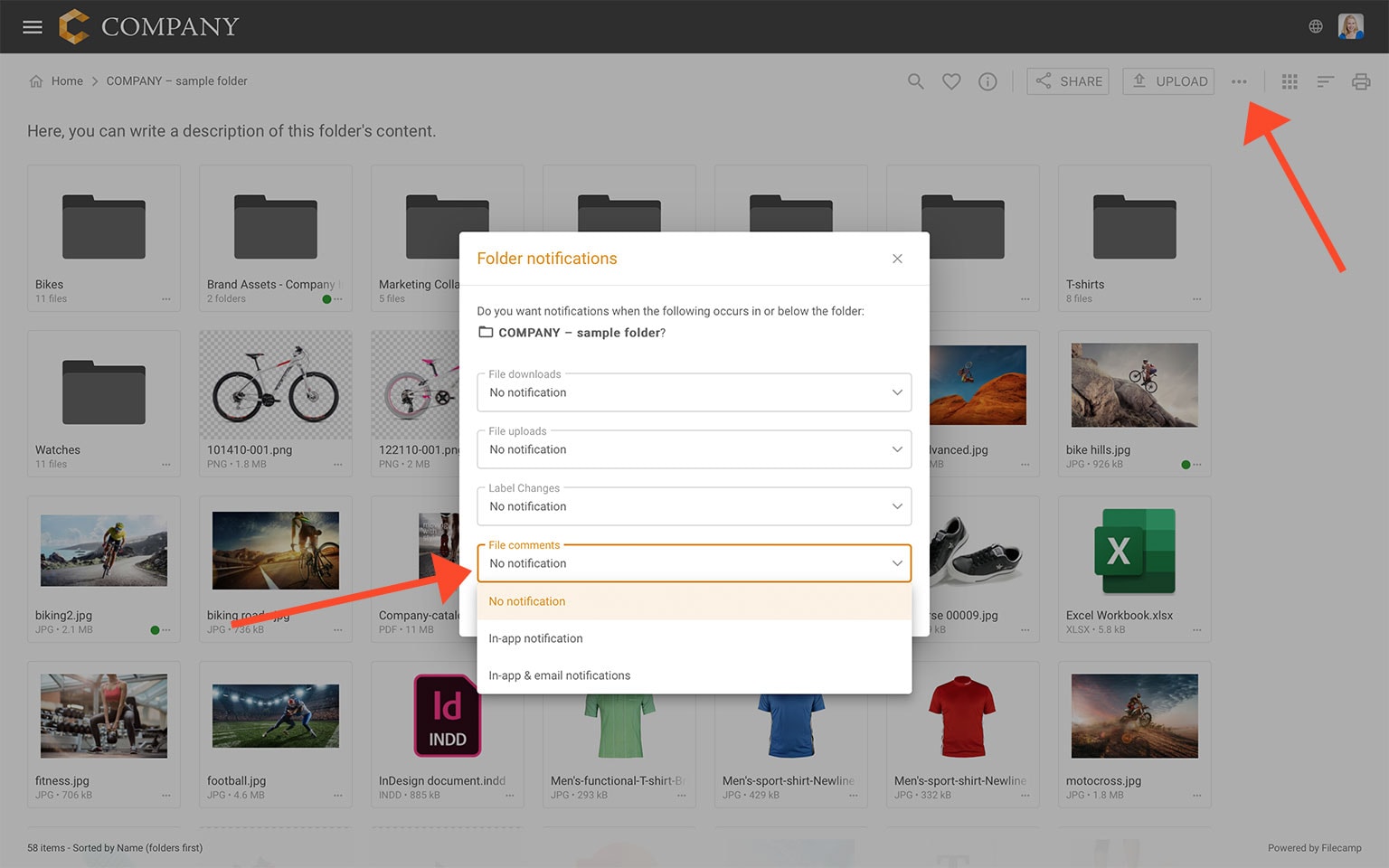
Get notified when specific actions take place in the folder or folders you have access to. Navigate to the relevant folder and select  Folder notifications from the Toolbar.
Related articles
User
Admin
Administrators can set up notifications for other users by using the Log in as another user option.
Please note that you cannot trigger email notifications to yourself for actions you have triggered.

File download notifications
Get notified when someone downloads files from the folder or any subfolder.
Choose between No notification (default), Message notification, or Message & Email notifications.

File upload notifications
Get notified when someone uploads new files to the folder or any subfolder.
Choose between No notification (default), Message notification, or Message & Email notifications.

Label change notifications
Get notified when other users change labels for files in the folder or any subfolder.
Choose between No notification (default), Message notification, or Message & Email notifications.

Comment notifications
Get notified when someone adds comments to files in the folder or any subfolder.
Choose between No notification (default), Message notification, or Message & Email notifications.
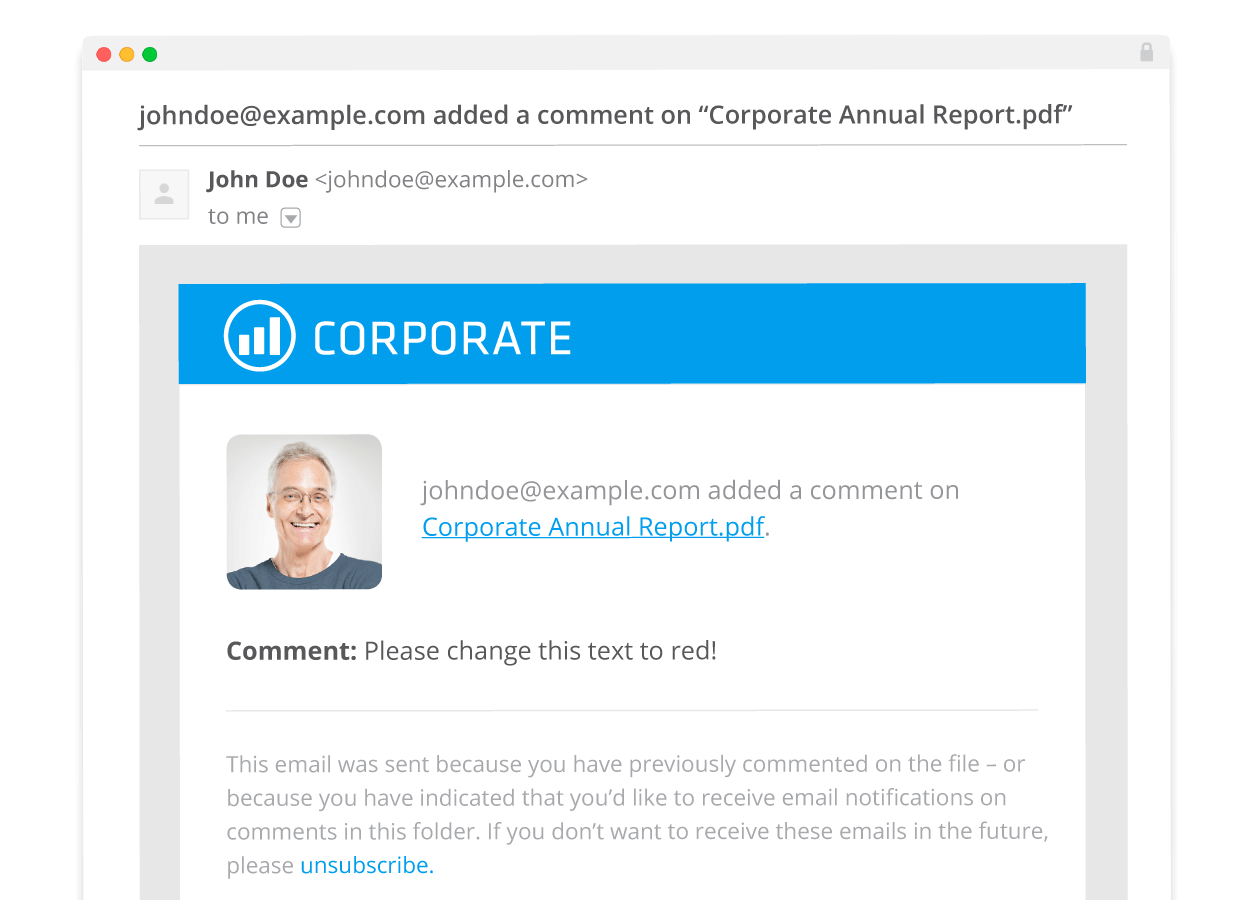
Notification email example:
No notification = You will not be notified (default).
In-app notification = You will receive an in-app message.
In-app & email notifications = You will receive an in-app messa
Notice: You can only receive email notifications when you use your email address as user name (recommended).
Notice: Notifications sent from Filecamp may be delayed for roughly ten minutes.
What to do if a user isn't receiving the notification emails
Email can be tricky, and sometimes you will find that a user is not receiving the notification and invitation emails that are being sent from Filecamp. Messages may not arrive for many reasons: email server quarantines, caught in a spam filter, accidentally deleted, etc.
For invitations and sharing messages, you can try to send the links to them via your default email client instead.